In January, we shipped Search Version 3.4, new Overview/Outreach/Pipeline Insights views, bookmarked jobs and Chrome extension job filtering.
2 min read
Jenn Vu
Search Version 3.4
Pin’s AI search just got even smarter, with new ways to build stronger candidate lists:
Tell Pin which skills are most important — Paste a job description and Pin will surface relevant skills automatically and ask you which is the most important during the new job flow.
“Attended school in country” filter — Refine candidate pools by education geography.
Inferred skills queries — Our search now can infer skills based on the colleagues they've worked with side-by-side, improving the number of candidates surfaced.
Smarter AI evaluation — AI evaluation now filters candidates and drives matches to the top of the list.
AI prompts for manual candidates — Run AI prompts on candidates you add manually, not just sourced candidates.
New Overview View
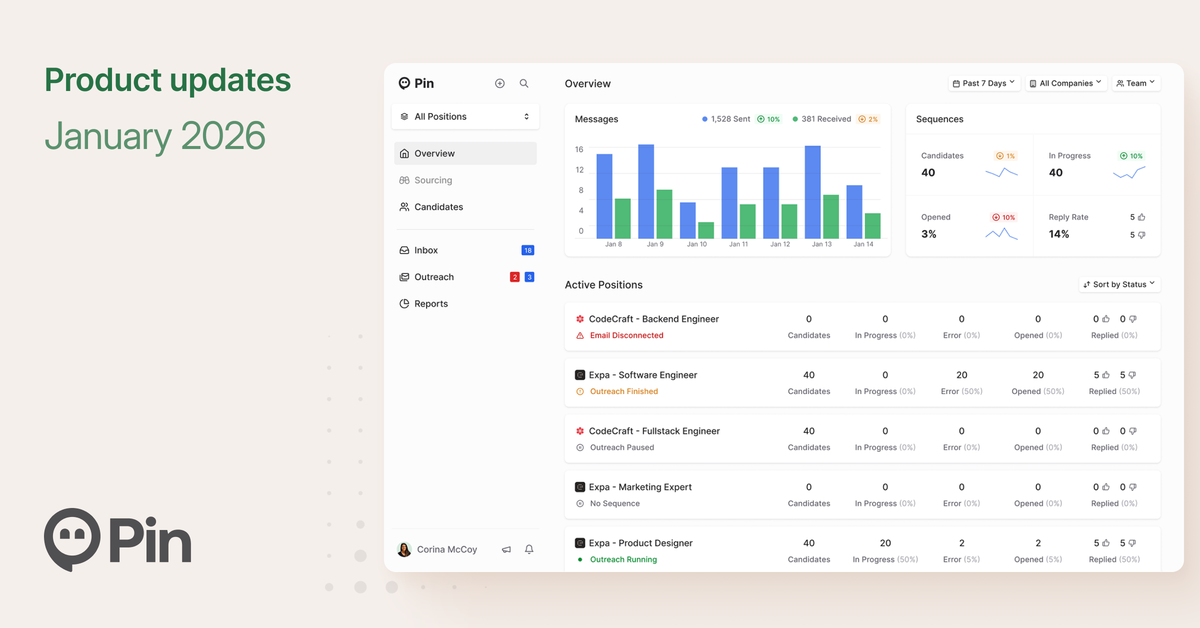
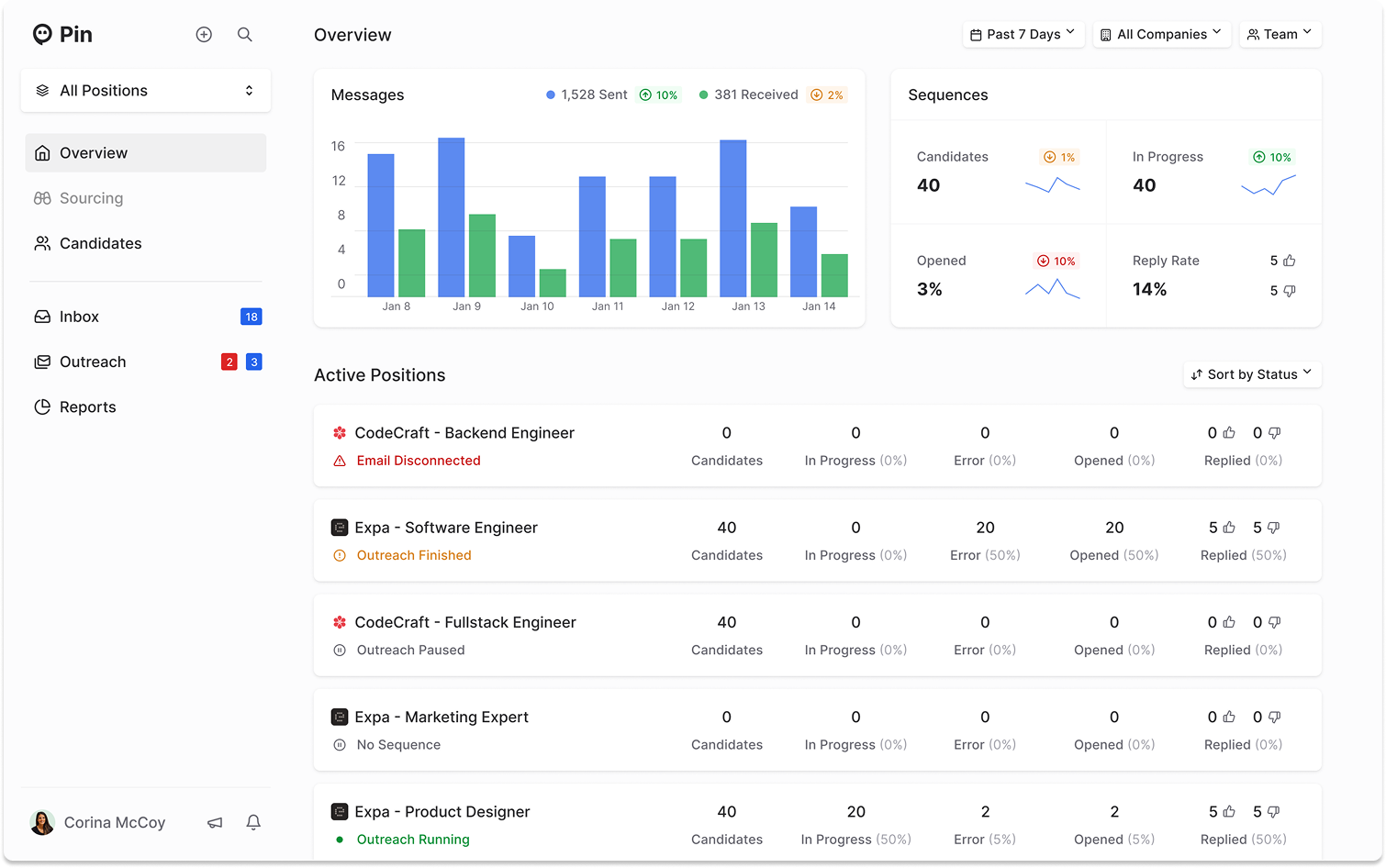
The new Overview view gives you a snapshot of team activity across roles: messages sent/received over time, sequence performance, and each active position’s status and results—all in one place.
Outreach Refreshed
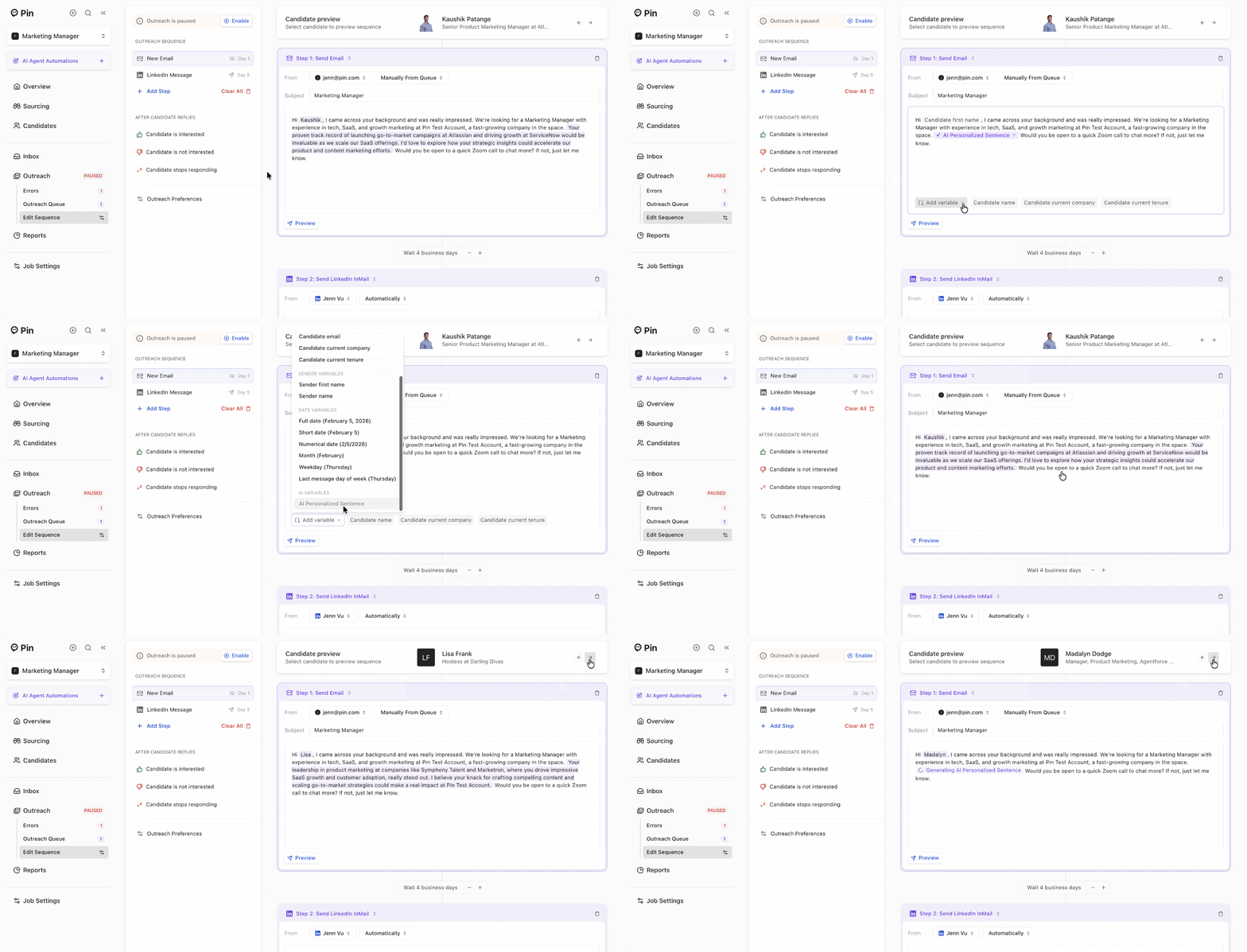
We refreshed the Outreach view so you can easily edit sequence steps and preview the exact message each candidate will receive.
Pipeline Insights
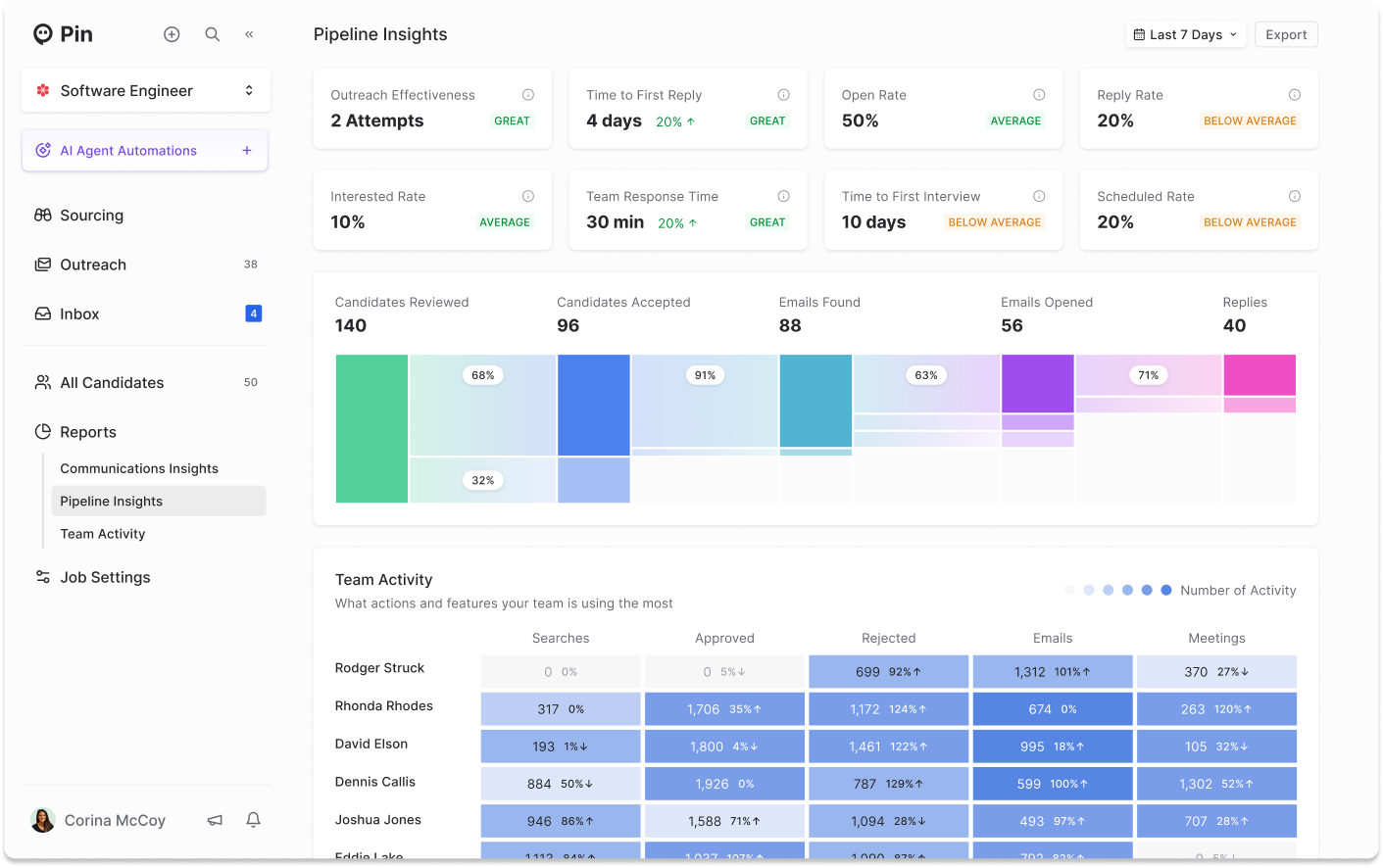
We updated the Pipeline Insights so you can see pipeline health and outreach performance at a glance. Your core conversion metrics, outreach stats, and team activity are now all in one view.
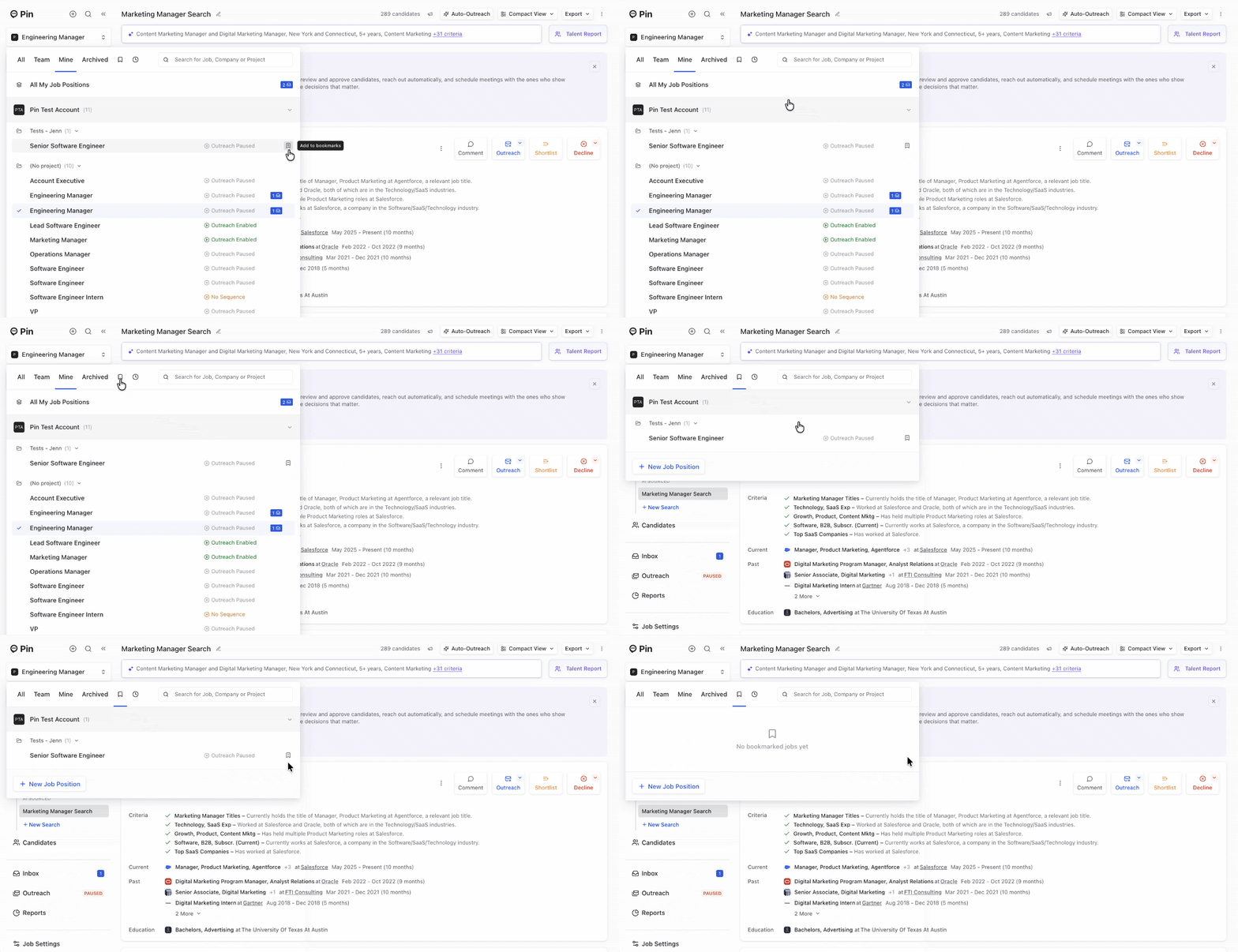
Bookmark Jobs
Jobs can now be bookmarked so they show up in an easy-to-access list, making it faster to select the right role when you need it.
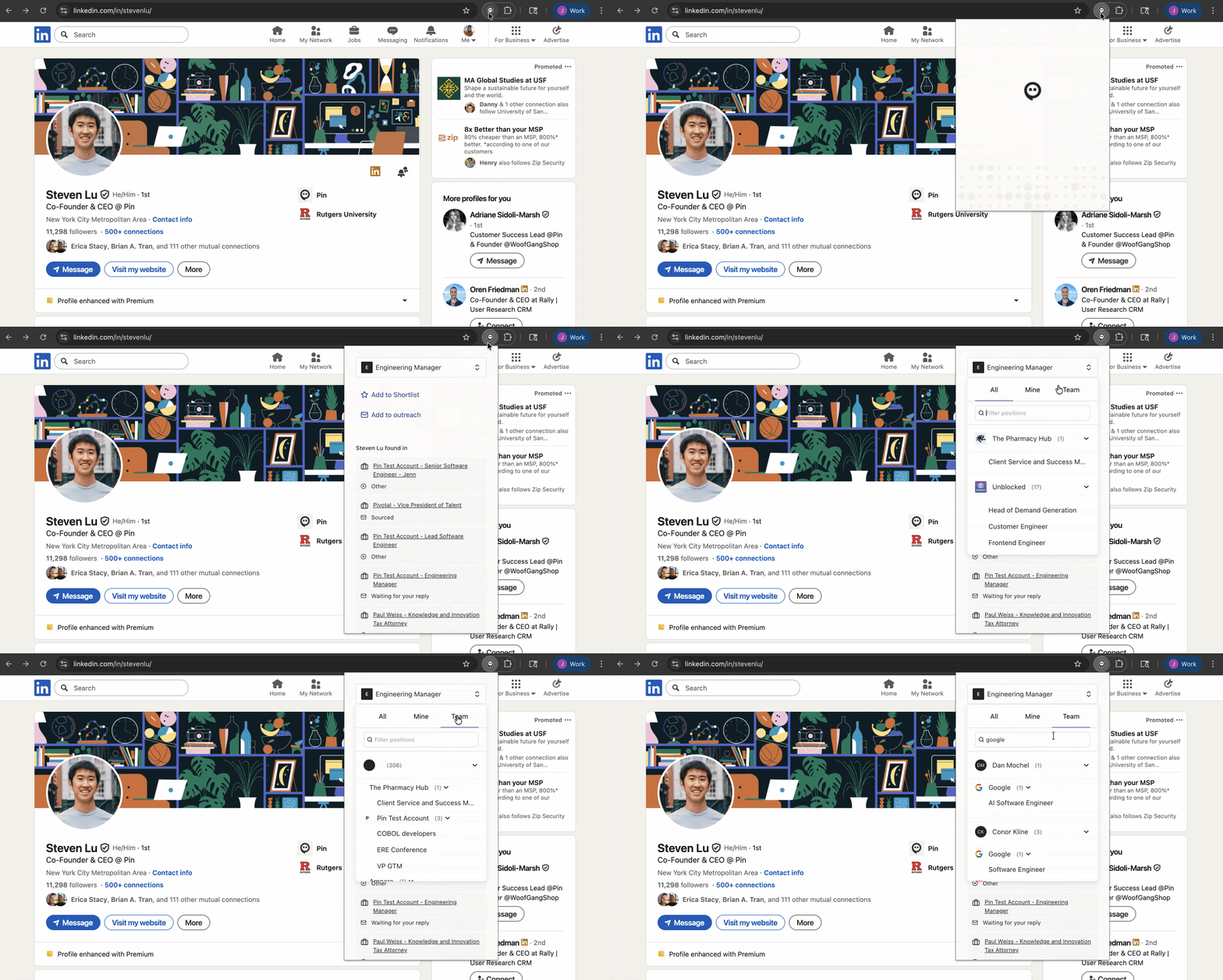
Filter Jobs in the Chrome extension
Filter jobs directly in the Chrome extension when adding candidates to a shortlist or outreach so it’s easy to select the right role every time.
Smaller updates:
A new Recently Viewed Jobs tab lets you quickly jump back to the roles you last viewed or worked on.
You can now tell Ask Pin to remove specific search criteria, so you don’t have to manually delete each filter.
CC/BCC is now available when replying to candidates in the inbox editor.
Agent Mode is a new AI-powered workflow for faster candidate sourcing and outreach.
Evaluation Mode is a refreshed way to review and re-run candidate analyses, with more control over scoring and filters.
Hiring managers with viewer access can now comment on candidates in the shortlist, enabling lightweight collaboration without full edit permissions.
We also shipped 55 bug fixes and performance improvements.